
If you book through Airbnb only
$45,000
Annual rental income
−$6,975
Lost to Airbnb's 15.5% fee
$38,025
What you keep
Guide
Every booking Airbnb sends you is rented. The guest is theirs, the email is theirs, and a slice of the money is theirs. A direct booking site is how you start keeping all three. Here is what it takes, in the order it needs doing.
12 minute read
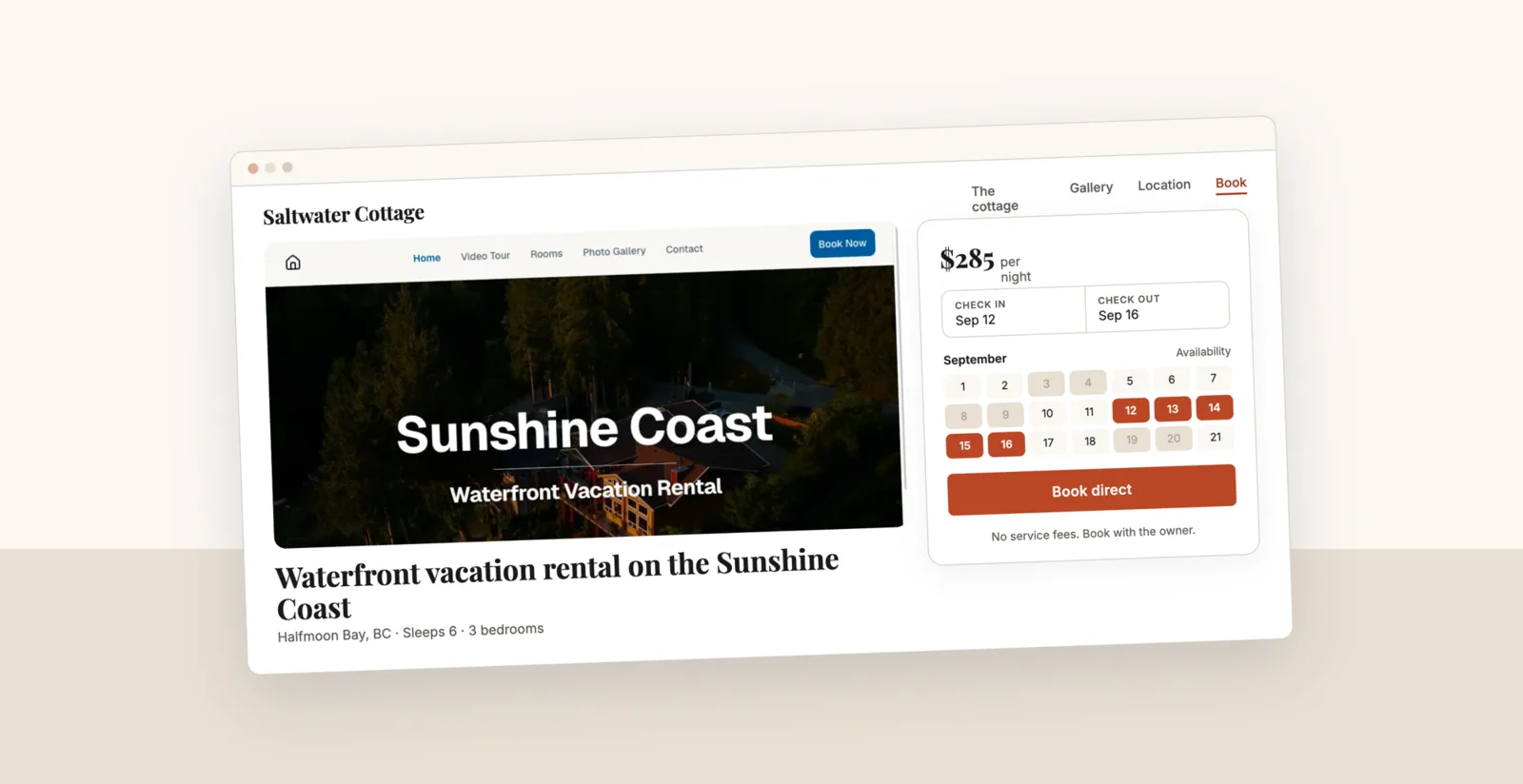
A direct booking website needs six things: a domain you own, live availability that syncs with every channel you list on, card payments that land in your bank, photos and copy that sell the stay, the legal and tax pages that keep you covered, and a plan for getting people to it. You can assemble that yourself over a few weeks, buy a booking platform with a template attached, or have it built for you. The rest of this guide walks the whole thing, step by step, so you can pick the route that fits.
That’s what we do. A direct booking site designed around your property, live in 7 days, with your domain, a business email on it, calendar sync, and guest payments in one $59/mo bill. Read on for the full how-to, or skip ahead.
Before you pick a tool, get clear on the job. A direct booking site is not a portfolio page with your best photos on it. It is the place a stranger who has never met you hands over a credit card for a week in your home. Six things make that possible.
A calendar on the page that reflects every channel you list on, so a guest never asks for dates you already sold.
The guest picks dates, sees the total, and pays by card without emailing you first. Every extra step costs you bookings.
The same shots that sell the listing, in a layout that gives them room. On a rental site the photos do more of the selling than any copy you write.
Reviews, a real name and face, a phone or email, house rules, and a cancellation policy the guest can read before paying.
Most people plan a trip on a phone. If the calendar and the book button are awkward on a small screen, nothing else matters.
A real page title, a real description, structured data about the property, and content about the area. Not one long image.
Two very different sites hide behind the phrase “direct booking website.” One is built for people who already know you: past guests, referrals, the family who stayed last summer and wants the same week again. The other is built for strangers searching for a place to stay in your town. The first needs trust and a fast checkout. The second needs all of that plus real content about the area and the patience to rank.
Almost every host should start with the first and grow into the second. Repeat and referral guests already trust the property, they cost nothing to reach, and you can point them at your site the day you launch. Search is the long game you build underneath it.
Buy the domain before anything else, because the good ones go. Aim for the property name plus the place, not a description of the category: cedarhollowcabin.com beats bestcabinsinbanff.com. Short, sayable out loud, easy to spell for a guest reading it off a fridge magnet. A .com if you can get it, a country domain if that reads more natural where you are.
Then put an email address on that domain. Sending booking confirmations from a personal address costs you real reservations, because a guest about to send you $2,000 wants to see a business on the other end. It also keeps your confirmations out of spam folders once the domain is set up properly.
There are three honest routes, and the right one depends on how you would rather spend your time. All figures below are typical ranges, so check current pricing before you commit.
| Build it yourself | Booking platform template | Done for you | |
|---|---|---|---|
| What it is | Site builder plus a separate booking tool | A booking platform with a website attached | A studio builds and runs the site for you |
| Typical monthly | $20 to $40, plus your time | $40 to $100+ by tier | Monthly fee, often a setup fee too |
| Time to launch | 2 to 6 weeks of evenings | Days to weeks | Commonly around 30 to 35 days |
| Looks like your property | As much as your design skills allow | Template, lightly themed | Yes, designed around it |
| Who fixes it at 9pm | You | You, with their support docs | They do |
The DIY route is genuinely fine if you enjoy this kind of work. The trap is the second year, when the plugin breaks, the sync silently stops, or the theme stops updating and you are the one who has to notice. Price your own hours honestly before you decide.
For what it’s worth, this is the gap we built The Direct Studio to fill: a site designed around your property, live in 7 days, at $59 a month flat with no setup fee and no separate booking platform to buy. If you want the detailed version of that trade-off against the best-known done-for-you option, we wrote it up here.
This is the part that keeps hosts off their own site, and it is worth getting right before you take a single booking. Every channel you list on has to know about every booking, no matter where it came from. Airbnb, VRBO, and Booking.com all exchange availability over iCal links, and your site needs to both publish a link out and pull each of theirs in.
The catch nobody mentions up front: those links refresh on a schedule, not instantly. Airbnb documents that it updates connected calendars every 3 hours, so a booking taken elsewhere can sit invisible on your listing for that long, and if the other platform is also on a multi-hour cycle the real gap compounds. You cannot remove that window entirely, but you can make it harmless.
Guests need to pay by card on the page, in one sitting. A booking that ends in “email me to confirm” loses people who were already ready to pay. Connect a card processor to your own account so payouts go straight to your bank instead of sitting with a platform. Expect the standard processing fee of roughly 2.9% plus 30 cents per transaction, which the processor takes, not the site, plus a surcharge on international cards (Stripe adds 1.5% in the US). There is no commission on top.
Before you go live, decide and publish four things:
You need fewer pages than you think, and better ones. A single property does well with five.
On copy: write the way you would talk to a guest at check-in. Cut the words that appear on every rental site in the world (“nestled,” “stunning,” “home away from home”) and replace them with specifics. “Coffee on the deck with the lake right there at 7am” sells better than “breathtaking views” because a guest can picture themselves in it. If you want to see how this reads when it is finished, we keep a few live builds here.
Direct bookings move a few responsibilities from the platform onto you. None of them are hard, and all of them are cheaper to handle before your first guest than after.
A live site with no traffic earns nothing. Work these three channels in order, because they pay off on completely different timelines.
The audience you already own. Every guest who has ever stayed is a warm lead you paid a commission to meet. Collect emails through your own welcome book, your check-in message, or the wifi card. Put the URL in the welcome book, on a magnet on the fridge, on a card by the door, in your social bios, in your email signature. Send one short note before each season opens. This is usually the channel that pays for the site first.
Search. Give each page a real title and description written for a human, put the property type and location in your headings, add structured data describing the rental, and make sure the site loads fast on a phone. Then write the area content nobody else bothers with. A page answering “where to stay near [the trailhead]” or “best time to visit [your town]” can bring in guests for years. One correction to advice you will see elsewhere: do not count on a Google Business Profile. Google’s own eligibility guidelines list “rental or for-sale properties such as vacation homes” as ineligible, and a profile needs in-person contact with customers during stated hours. Plan around your own pages instead.
The platforms themselves. Keep the listings running. For a guest who has never heard of you, they are still the cheapest way to be found. Your site changes what happens after that first stay, when the guest who loved the place has somewhere to book that is not a listing page competing with forty others.
A beautiful site with a contact form is a lead form, not a booking site. If a guest cannot pick dates and pay in one sitting, most of them go back to Airbnb and book there.
Exporting Airbnb to your site but never importing your site back into Airbnb is how you sell the same week twice. Every channel needs to see every booking.
Hosts often slash direct rates to compete with their own listing. You do not need to. Removing the guest service fee is already a better price for the guest at the same nightly rate.
Nobody types your domain in on day one. The site earns its keep when the URL is in the welcome book, in the checkout email, on the fridge, and in your social bio.
Terms, cancellation policy, house rules, and a privacy page look like busywork right up until a guest disputes a charge. They also make card processors and search engines take you seriously.
A direct booking site does not replace Airbnb. It changes who owns the relationship after the first stay. The fee is now simpler to state than it used to be: Airbnb is moving every host onto a single service fee of 15.5%, paid by you rather than split with the guest, and it comes off the booking subtotal before your payout. The guest contact details still stay behind a wall you do not control. Once you have your own domain, your own calendar, and your own checkout, the second booking from that guest costs you nothing but the card fee.
Build it yourself with the steps above, or have it done. Either way, the sooner the URL is in your welcome book, the sooner it starts working. If you want to see what those fees are worth on your own numbers, the calculator below runs them.
Calculate your savings
$45,000
Annual rental income
−$6,975
Lost to Airbnb's 15.5% fee
$38,025
What you keep
$45,000
Annual rental income
−$2,093
70% direct = $4,883 saved
−$708
Annual cost of The Direct Studio
$42,200
What you keep
That's $4,175 more in your pocket every year.
Based on AirDNA data showing the average US vacation rental earns approximately $44,000 per year. Most hosts shift 30-50% of bookings to direct within 6 months.
Common questions
We do all of it for you: the design, your domain, a business email on it, calendar sync with Airbnb, VRBO and Booking.com, and guest card payments. Live in 7 days, $59/mo flat, one bill, no setup fee.
Free consult, no commitment.